Sensitive documents,
protected from upload
to deletion.
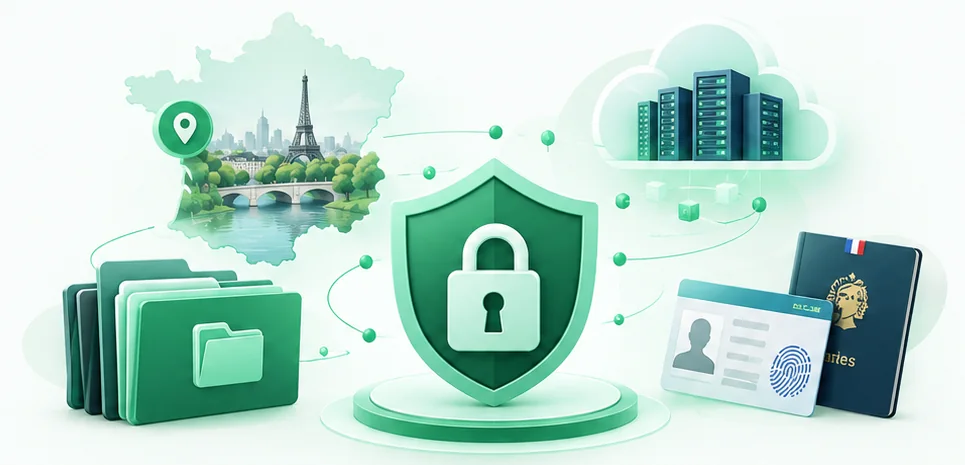
Identity documents, income, HR papers or supporting evidence: collecting them has to stay simple for your client without becoming a weakness for your organisation. TickDoc limits access, logs actions and protects the files.
- Files encrypted at rest
- Second factor mandatory
- Access logged
-
 Hosted in France
In practice, who can see what?
Two audiences, and they do not expect the same thing from the same measure.
For your organisation
- Each person reaches the cases opened to them. The ones they created, the ones shared with them, the ones of their team. Not the others.
- The second factor is mandatory. A stolen password opens nothing, and no user can do without one.
- You know who did what, and when. The log exports as CSV: it is your proof of upload on the day someone asks for it.
- Deactivating a colleague cuts their access on the next request. Not at the end of their session.
For the person uploading
- No account to create. The link is enough: no password to choose and no data to leave beyond the documents asked for.
- Their access is limited to that one upload. They reach neither your workspace nor any other case.
- They can come back with the same link until the due date you set, or until you revoke it.
- A second factor by email, if you switch it on. Optional, and set case by case: you decide whether the document warrants it.
The same row, seen from both sides.
The same security requirement, two experiences that do not have the same rights.
What the person uploading sees
The file name, its size, its date.
They can replace. They can neither open, download nor preview, not even their own documents. One file alone escapes that rule: the blank form you attach for them to fill in.
What your team sees
The document, and the history of its versions.

No file is ever served from storage: every read goes through the API, which checks the rights and then issues a short-lived signed URL.
How the documents are protected.
In plain language. The technical detail is just below, for whoever asks for it.
Encryption of the files
Files are held in encrypted form: they are not readable directly in storage. Text fields are too: a national insurance number typed into a field is no less sensitive than a scan.
Protecting access
The second factor is mandatory, with no exception, including for the account owner. A passkey replaces both the password and the code on its own.
Traceability
Every access to a piece of case data is logged: who, when, from which address, on which document. Our own support access appears there too.
Cases kept apart
Every case has its own key, and every document has one as well. A key copied from one case into another does not open it: that is what separates “the data is encrypted” from “the data is protected”.
Deletion and retention
You set how long cases are kept, within the ceiling of your plan: three, six or nine months. At the due date the case key is destroyed and the documents become unreadable.
Hosting
Documents are hosted in France, with no subcontractor outside the European Union for storing them. No tracking cookie, on this site or in the application: there is nothing to consent to.
Technical detail.
For a security officer. None of this is needed in order to use TickDoc.
Encryption: which algorithm, and which keys?
Envelope encryption in AES-256-GCM. One key per case, sealed by a master key that never leaves the server; one key per file, sealed by the case key. Every envelope is bound to its exact place, so an encrypted key copied elsewhere does not open. The encryption is at rest: the server can decrypt in order to deliver a document to someone entitled to it.
What exactly happens on deletion?
The case key is destroyed, which makes the documents undecipherable that second, including in backups already taken, without waiting for the files themselves to be erased. The plain columns of the case are blanked in the same operation, and recipients left without a case are anonymised. A case in the trash can also be destroyed on request, before its due date.
Can the log be altered?
It is append-only, not by application convention but by database rights: the account the application connects with technically has no right to update or delete a row of the log. It outlives the purge of the cases it describes, otherwise it would prove nothing, and it exports as CSV.
How is a support session on our side framed?
We can open your workspace to get you out of trouble. That access requires a written reason, expires on its own, shows a permanent banner for its whole duration, and enters your log like any other access.
Transport, cookies and separation
The “.app” domain is on the HSTS preload list: the browser refuses to reach it other than over HTTPS, so the link sent to your client cannot technically travel in the clear. Session cookies are confined to one exact host, never to the whole domain: a flaw on this marketing site reaches nothing in your workspace. The token of a recipient link is not kept in the clear.
Backups
The database and the documents are backed up together: a database without its files loses the documents, files without the database lose their keys. A backup therefore reopens nothing that a destroyed case had closed, since it is the key that has gone.
The documents to check
before trusting us with your cases.
A security page is only worth what it lets you check. Here is what can be established without taking our word for it.
- The data processing agreement is put to you when you sign up, and your acceptance is timestamped and kept as proof, in a form that cannot be rewritten.
- The personal data page says which data is processed, why, and for how long. Read the personal data page.
- The retention periods are listed plan by plan on the pricing page, and that is the ceiling you will be able to set. See the pricing.

Need to clear TickDoc
with your security team?
We can give you the technical and contractual information available, to answer your questions before you roll it out.